
In this Article, we’ll deploy a Spring Boot application to Kubernetes using a GitOps pipeline. The CI process, handled by GitHub Actions, builds the application, packages it into a Docker image, and pushes it to GitHub Container Registry (GHCR). The CD process is managed by Argo CD, which automatically syncs Kubernetes manifests from a GitHub repository and deploys the application to the cluster.
Table of Contents
Prerequisites
- Ubuntu 24.04
- GitHub Account (for CI/CD)
- Minikibe and kubectl
- Docker
- Basic Terminal Knowledge
Step #1:Install Required Tools
Install Java (for Spring Boot):
sudo apt update
sudo apt install openjdk-17-jdk -y
java -version
Install Maven (for building Spring Boot):
sudo apt install maven -y
mvn -version
Install ArgoCD:
kubectl create namespace argocd
kubectl apply -n argocd -f https://raw.githubusercontent.com/argoproj/argo-cd/stable/manifests/install.yaml
kubectl get pods -n argocd
Access ArgoCD Dashboard:
kubectl port-forward svc/argocd-server -n argocd --address 0.0.0.0 8888:443
Now, open http://public-ip:8888 in your browser.
- Username:
admin - Password: (Get it using)
kubectl -n argocd get secret argocd-initial-admin-secret -o jsonpath="{.data.password}" | base64 -d
Step #2:Create a Spring Boot App and Test It Locally
Generate a Spring Boot App:
curl https://start.spring.io/starter.tgz -d dependencies=web -d javaVersion=17 -d type=maven-project -d baseDir=spring-boot-k8s | tar -xzvf -
cd spring-boot-k8s
Add a Simple REST Endpoint:
Edit src/main/java/com/example/demo/DemoApplication.java:
package com.example.demo;

import org.springframework.boot.SpringApplication;
import org.springframework.boot.autoconfigure.SpringBootApplication;
import org.springframework.web.bind.annotation.GetMapping;
import org.springframework.web.bind.annotation.RestController;

@SpringBootApplication
@RestController
public class DemoApplication {

    public static void main(String[] args) {
        SpringApplication.run(DemoApplication.class, args);
    }

    @GetMapping("/")
    public String hello() {
        return "Hello from Spring Boot on Kubernetes!";
    }
}
Test Locally:
./mvnw spring-boot:run
Use http://public-ip:8080 in the browser to access the application:

Use ctrl+c to stop
Step #3:Dockerize the App
Build the Package:
mvn clean package
Create a Dockerfile:
FROM eclipse-temurin:17-jdk-jammy
WORKDIR /app
COPY target/*.jar app.jar
ENTRYPOINT ["java", "-jar", "app.jar"]
Replace the app.jar with actual name of your .jar after the Build.

Log in to GitHub Container Registry (GHCR):
echo YOUR_GHCR_PAT | docker login ghcr.io -u YOUR_GITHUB_USERNAME --password-stdin
Build and tag for GHCR:
docker build -t ghcr.io/$(git config user.name)/spring-boot-k8s:latest .
Step #4:Write Kubernetes Manifests
Create Kubernetes Manifests:
mkdir k8s
cd k8s
deployment.yaml:
apiVersion: apps/v1
kind: Deployment
metadata:
  name: spring-boot-app
spec:
  replicas: 1
  selector:
    matchLabels:
      app: spring-boot-app
  template:
    metadata:
      labels:
        app: spring-boot-app
    spec:
      containers:
      - name: app
        image: ghcr.io/YOUR_GITHUB_USERNAME/spring-boot-k8s:latest
        ports:
        - containerPort: 8080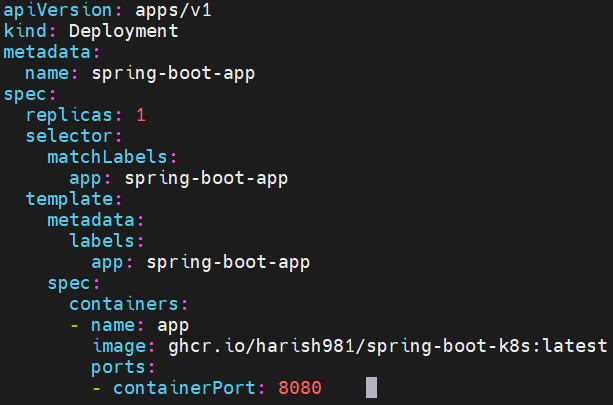
service.yaml:
apiVersion: v1
kind: Service
metadata:
  name: spring-boot-app
spec:
  selector:
    app: spring-boot-app
  ports:
    - protocol: TCP
      port: 80
      targetPort: 8080
  type: NodePort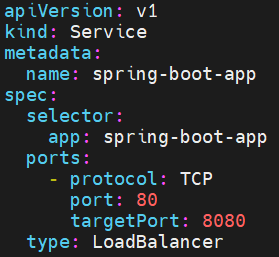
Step #5:Set Up GitOps with ArgoCD
Push Code to GitHub:
1. Create a new GitHub repo.
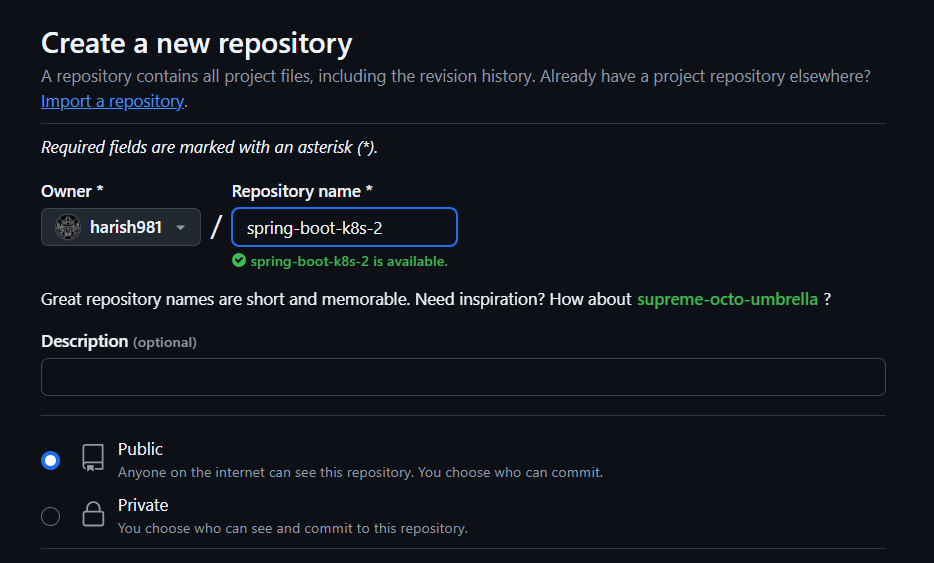
2. Push your code:
git init
git add .
git commit -m "Initial commit"
git remote add origin https://github.com/<your-username>/spring-boot-k8s.git
git branch -M main
git push -u origin main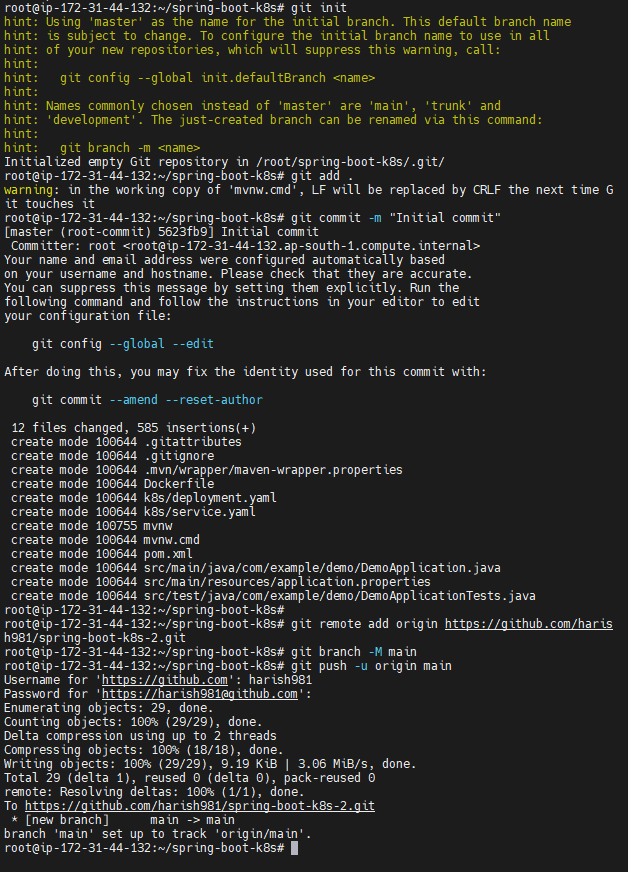
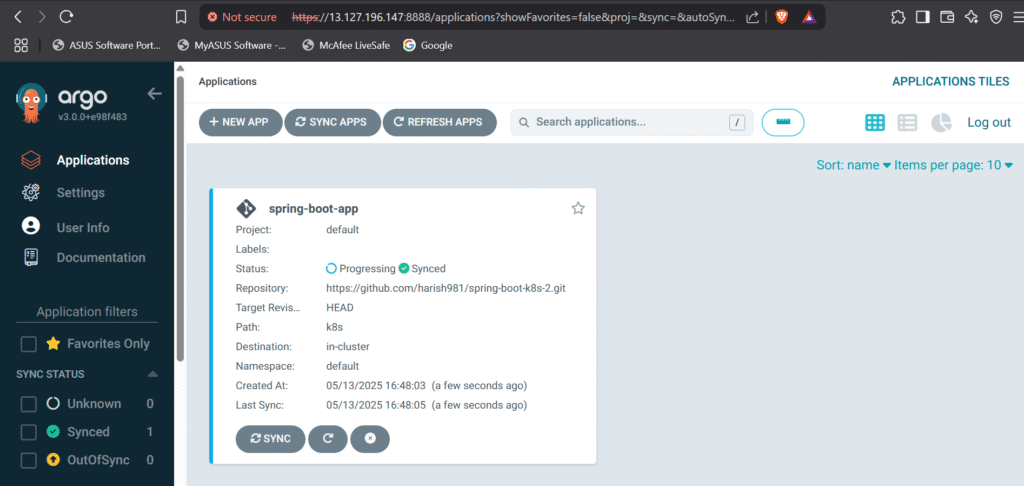
Configure ArgoCD to Sync from GitHub:
- Go to ArgoCD Dashboard.
- Click “New App”:
- Application Name:
spring-boot-app - Project:
default - Sync Policy:
Automatic - Repository URL:
https://github.com/<your-username>/spring-boot-k8s.git - Path:
k8s - Cluster:
in-cluster - Namespace:
default
- Application Name:
- Click “Create”, then “Sync”.
Now, ArgoCD will automatically deploy changes whenever you push to GitHub!
Step #6:Set Up GitHub Actions CI/CD
Give GitHub Token in the Repository Secrets:
Repo Settings > Secrets and Variables > Actions > New Repository Secrets > add name and secret

Create .github/workflows/ci-cd.yml:
name: CI/CD to GHCR

on: [push]

permissions:
  contents: read
  packages: write

jobs:
  build-and-push:
    runs-on: ubuntu-latest
    steps:
      - uses: actions/checkout@v4

      - name: Set up JDK 17
        uses: actions/setup-java@v3
        with:
          java-version: '17'
          distribution: 'temurin'

      - name: Build with Maven
        run: mvn clean package

      - name: Build Docker image
        run: |
          docker build -t ghcr.io/harish981/spring-boot-k8s:latest .
          docker tag ghcr.io/harish981/spring-boot-k8s:latest ghcr.io/harish981/spring-boot-k8s:${{ github.sha }}

      - name: Login to GHCR
        uses: docker/login-action@v2
        with:
          registry: ghcr.io
          username: harish981
          password: ${{ secrets.GHCR_PAT }}

      - name: Push to GHCR
        run: |
          docker push ghcr.io/harish981/spring-boot-k8s:latest
          docker push ghcr.io/harish981/spring-boot-k8s:${{ github.sha }}
After giving the .github/workflows/ci-cd.yml and committing, the GitHub Actions will start automatically
Step #7:Final Check
GitHub Actions → Should show a successful build:

ArgoCD Dashboard → Should show “Healthy” status:

Minikube Service → Should display your app:


Step #8:Access the Application
Use the Port Forwarding to Access the Application:
kubectl port-forward svc/spring-boot-app --address 0.0.0.0 8080:80
Open the browser and use http://public-ip:8080 and access the Application:

Final Directory Structure
.
├── Dockerfile
├── HELP.md
├── k8s
│   ├── deployment.yaml
│   └── service.yaml
├── mvnw
├── mvnw.cmd
├── pom.xml
├── src
│   ├── main
│   │   ├── java
│   │   │   └── com
│   │   │       └── example
│   │   │           └── demo
│   │   │               └── DemoApplication.java
│   │   └── resources
│   │       ├── application.properties
│   │       ├── static
│   │       └── templates
│   └── test
│       └── java
│           └── com
│               └── example
│                   └── demo
│                       └── DemoApplicationTests.java
└── target
    ├── classes
    │   ├── application.properties
    │   └── com
    │       └── example
    │           └── demo
    │               └── DemoApplication.class
    ├── demo-0.0.1-SNAPSHOT.jar
    ├── demo-0.0.1-SNAPSHOT.jar.original
    ├── generated-sources
    │   └── annotations
    ├── generated-test-sources
    │   └── test-annotations
    ├── maven-archiver
    │   └── pom.properties
    ├── maven-status
    │   └── maven-compiler-plugin
    │       ├── compile
    │       │   └── default-compile
    │       │       ├── createdFiles.lst
    │       │       └── inputFiles.lst
    │       └── testCompile
    │           └── default-testCompile
    │               ├── createdFiles.lst
    │               └── inputFiles.lst
    ├── surefire-reports
    │   ├── TEST-com.example.demo.DemoApplicationTests.xml
    │   └── com.example.demo.DemoApplicationTests.txt
    └── test-classes
        └── com
            └── example
                └── demo
                    └── DemoApplicationTests.class
Conclusion:
In conclusion, deploying a Spring Boot application on Kubernetes using Argo CD and GitHub Actions CI/CD provides a streamlined, automated, and scalable approach to modern application deployment. By integrating GitHub Container Registry (GHCR), developers can efficiently manage their Docker images, ensuring a smooth continuous integration and deployment pipeline. This setup enhances developer productivity and simplifies the overall deployment process, enabling faster and more reliable application updates.
