
In this article we are going to cover Securely Managing Secrets in Terraform.
When working with Terraform to build infrastructure, you’ll often need to pass sensitive information like:
- API Keys
- Database Passwords
- Access Tokens
But here’s the problem:
Hardcoding secrets in your Terraform files is unsafe and can lead to accidental leaks—especially when your code is version-controlled (e.g., on GitHub).
Table of Contents
Prerequisites
- AWS account
- AWS CLI configured (
aws configure) - Terraform installed
- IAM user with access to SSM Parameter Store
Method #1:Using AWS SSM Parameter Store
This is the safest way to store and access secrets in Terraform.
Step #1:Create a Secret in SSM Parameter Store
Run this command:
aws ssm put-parameter \
  --name "/myapp/db_password" \
  --value "MySecurePassword123" \
  --type "SecureString"
This stores your password securely in AWS.
Step #2:Create Your Terraform Files
Make a folder called terraform-secrets and add these files:
main.tf:
provider "aws" {
  region = "ap-south-1"
}

data "aws_ssm_parameter" "db_password" {
  name            = "/myapp/db_password"
  with_decryption = true
}

output "db_password_output" {
  value     = data.aws_ssm_parameter.db_password.value
  sensitive = true
}
This will fetch the secret securely and avoid printing it on the screen.
Step #3:Run Terraform
Open terminal in the folder:
terraform init
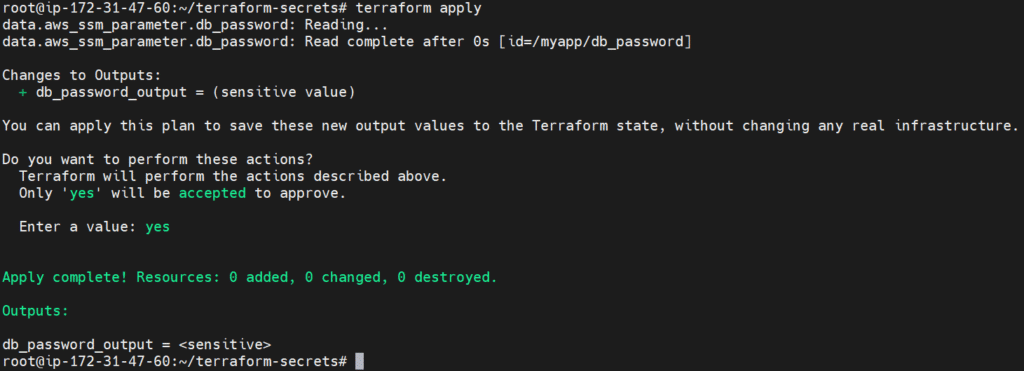
terraform applyYou’ll be asked to confirm—type yes.
You won’t see the secret in the output, because of sensitive = true.
Method #2:Using Environment Variables
You can also pass secrets using environment variables, which is handy for local use.
Step #1:Set a Variable in Terminal
export TF_VAR_db_password="MySecretFromEnv123"
Step #2:Create a variables.tf file
variables.tf:
variable "db_password" {
  description = "The database password"
  type        = string
  sensitive   = true
}
Step #3:Update main.tf (Optional)
If using this method instead of SSM:
output "env_var_password" {
  value     = var.db_password
  sensitive = true
}
Then run:
terraform init

terraform apply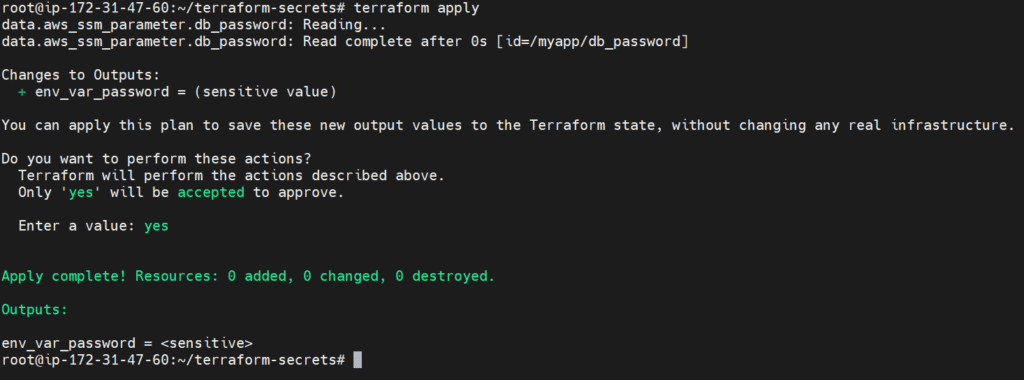
Again, your secret won’t be displayed.
Best Practices
DO:
- Use
sensitive = trueto hide secrets from CLI output - Use SSM Parameter Store, Secrets Manager, or Vault
- Use
TF_VAR_to load secrets from environment variables - Use remote backends like S3 + KMS for encrypting state files
DON’T:
- Hardcode secrets in
.tfor.tfvarsfiles - Commit secrets to Git
- Share unencrypted state files
Final Folder Structure
terraform-secrets/
├── main.tf
├── variables.tf
Conclusion:
Managing secrets is one of the most important aspects of writing secure Terraform code. In this guide, you learned how to store secrets using AWS SSM Parameter Store and how to use environment variables to keep sensitive data out of your code. You also explored simple but essential security best practices. By following these steps, you can ensure your infrastructure remains safe, secure, and professionally managed.
Related Articles:
Blue-Green Deployment Using Terraform
Reference:
